This article applies to our Automated Forensic Bone/Teeth Grinder.
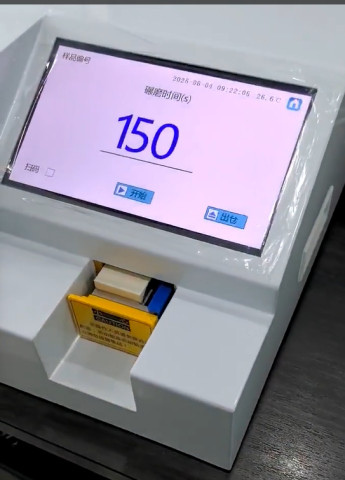
Setting the grinding time is very simple. Just click on the number on the homepage (the default is 150, which is 150 seconds), then enter the desired grinding duration, and click the Apply button. That's how you set the grinding time.
How long can I set the time?
The equipment supports a minimum of 120 seconds and a maximum of 200 seconds. Less than 120 seconds may result in insufficient grinding, while more than 200 seconds has limited effect on improving grinding efficiency and may be a waste of time.
Didn't see the time settings?
The time setting is on the homepage, not in the settings menu. If you still can't find it, try restarting your device. To restart, toggle the power switch on the back of the device to turn it off and then on again. After powering on, the homepage will be displayed by default, where you can adjust the time.